
First setup#
On first boot BeetleBoy32 asks how to set it up.
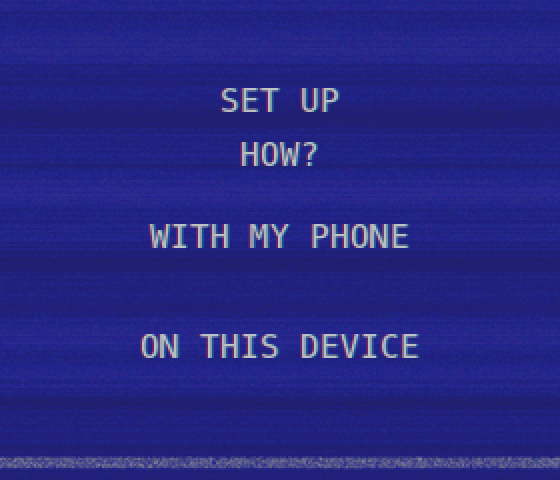
With my phone#
- BeetleBoy32 starts its own Wi-Fi network (
BeetleBoy32-XXXX, random password) and shows a QR code to join it. The name and password are also printed, for laptops. - Once a device joins, the screen shows a QR code for the setup page. Phones usually open it by themselves.
- The page asks for your Wi-Fi network and its password, and your remilia.net email and password. BeetleBoy32 then connects and shows the result.
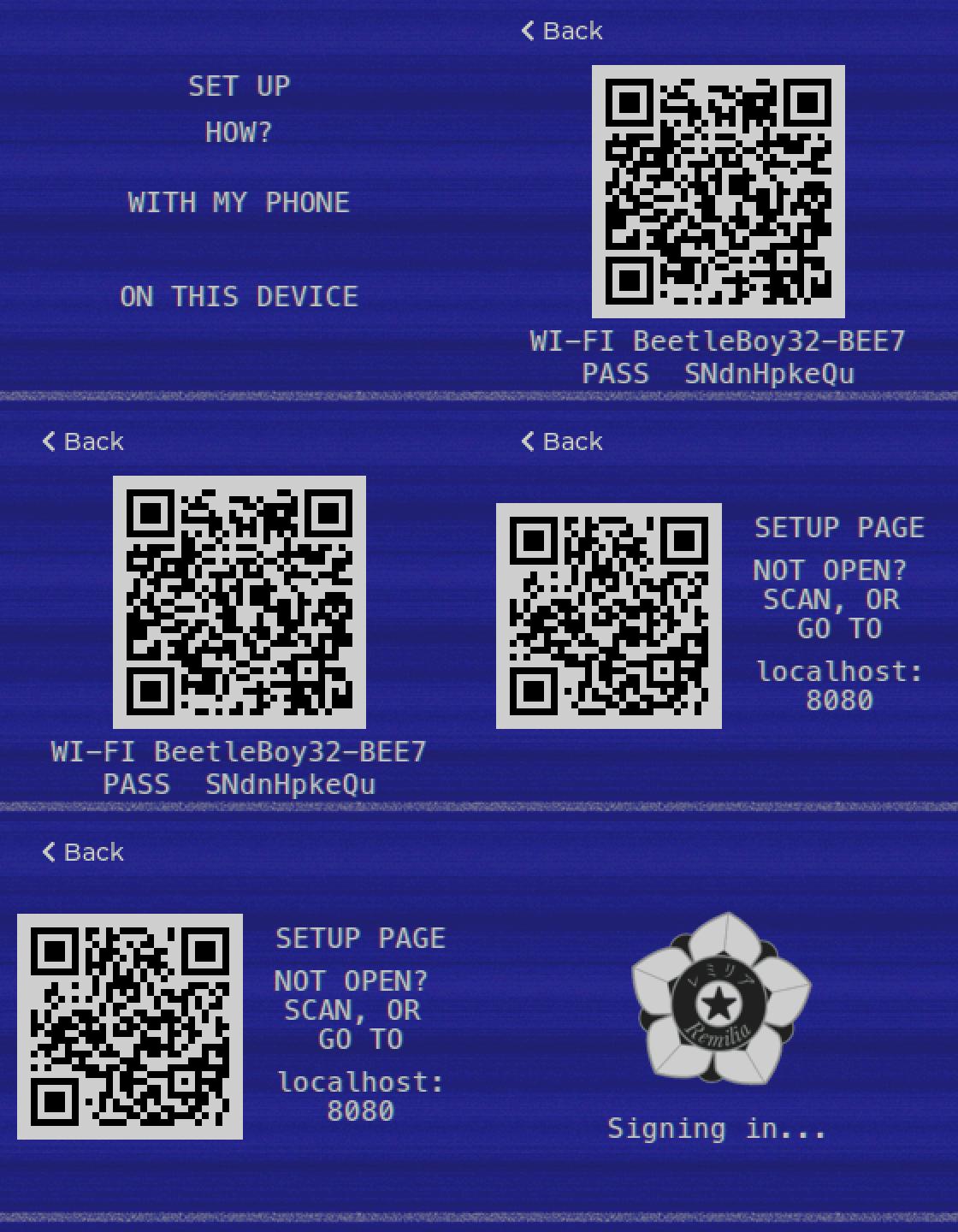
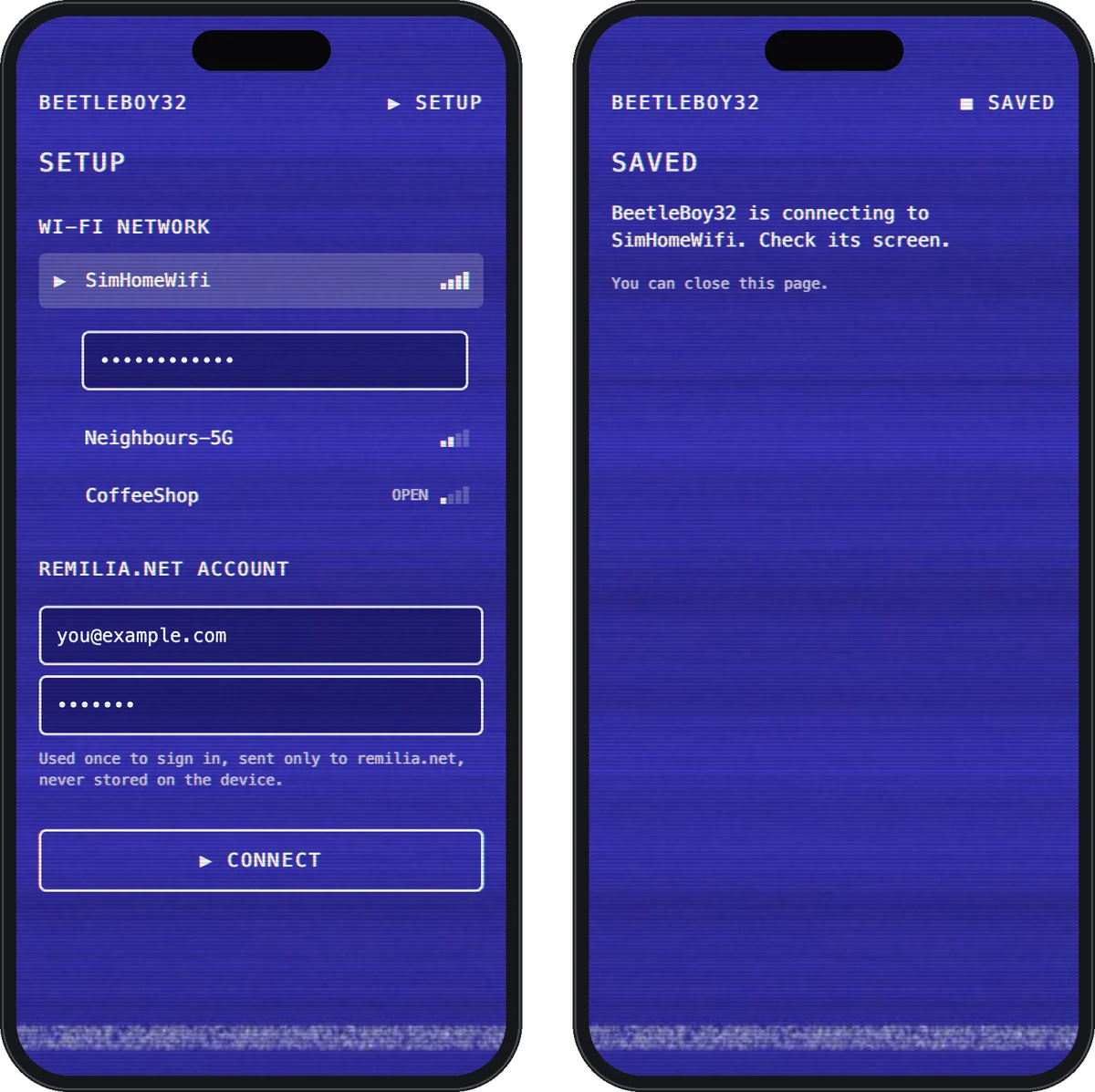
The setup network closes after 10 minutes without a submission, and you're back to the choice.
On this device#
Pick a scanned network, then type its password, your email and your password on the on-screen keyboard. Each key holds a group of characters: tap it again to go to the next one. The bottom-left key switches to capitals, then digits, then symbols.
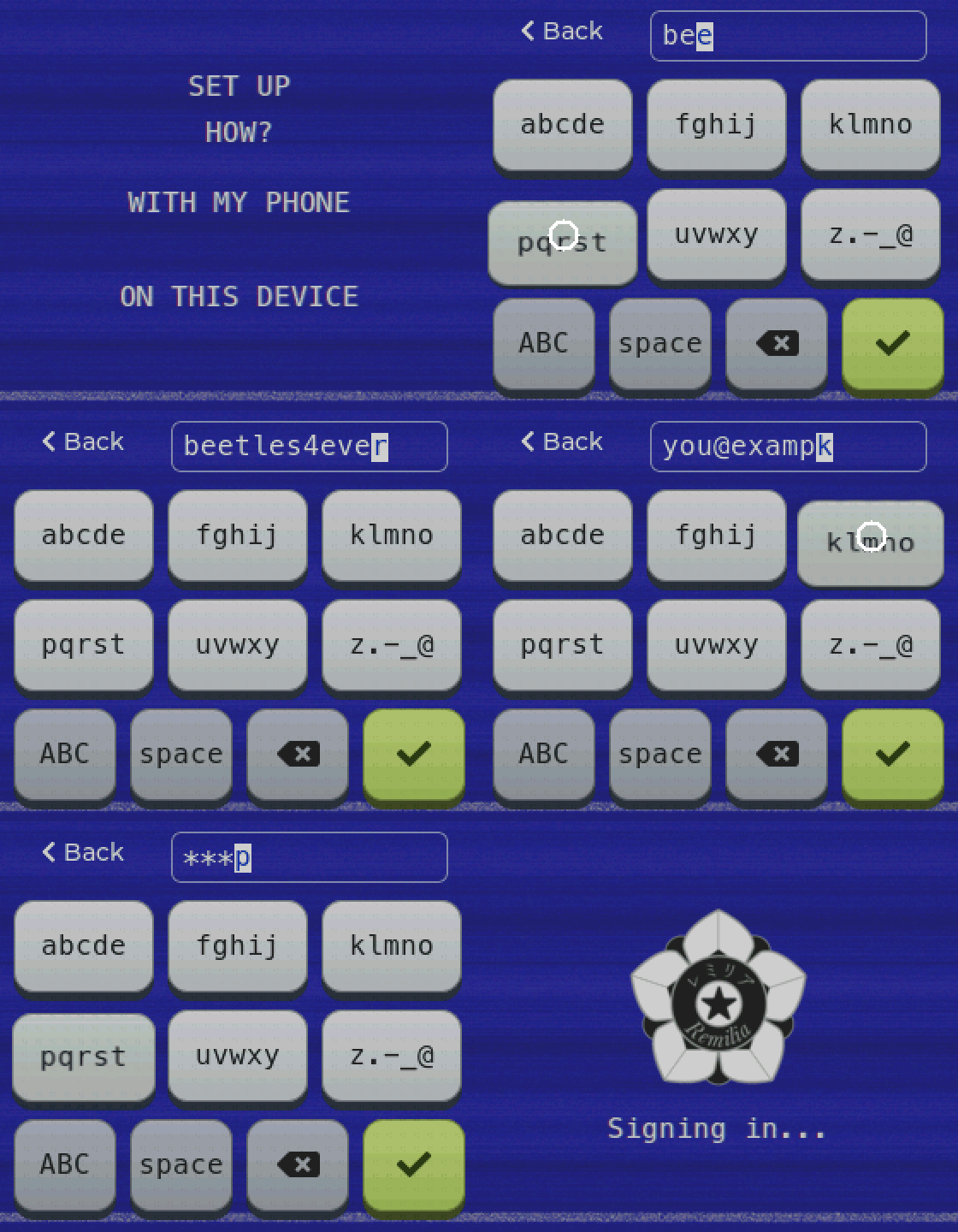
Later, Settings → Wi-Fi adds or forgets networks (up to 8 are remembered), and an expired login asks only for the account again.
What's stored on the device#
| What | Why |
|---|---|
| Wi-Fi networks and passwords | To reconnect |
The account's session cookies (AUTH_SESSION_ID, KEYCLOAK_SESSION, KEYCLOAK_IDENTITY) |
To sign in again without your password |
| A refresh token | To renew the short-lived access token |
| Settings (brightness, volume, timers, time zone, LEDs) | |
| Cached images (avatars, item icons) | Faster screens |
Your account password is never stored. It's used once, to sign in.
These are stored as plaintext in the ESP32's flash: anyone with the device and a USB cable could read them.
How login works#
- Setup: your email and password go through remilia.net's normal sign-in page (the same Keycloak login the website uses). BeetleBoy32 keeps the session cookies and tokens it gets back.
- Every request: uses a short-lived access token. Before it expires, the refresh token gets a new one.
- If the refresh token is refused: a silent sign-in with the saved cookies gets fresh tokens, the way the website does when you come back to it.
- If that's refused too (you signed out everywhere, or the session ended): BeetleBoy32 asks for your email and password again. Your Wi-Fi is kept.
Every connection is HTTPS with the server's certificate checked, and the sign-in refuses to follow redirects or forms that leave remilia.net.
Erasing the device#
The device has no reset button. To wipe it (Wi-Fi, the account's cookies and tokens, settings, cached images), erase its flash, then flash it again:
pio run -e waveshare -t erase
./run flash
It then starts with the first setup. In the simulator, hold Esc for 3 seconds and confirm, or delete sim_data/beetleboy.env.
To also end the session on the server, use "sign out everywhere" on remilia.net.